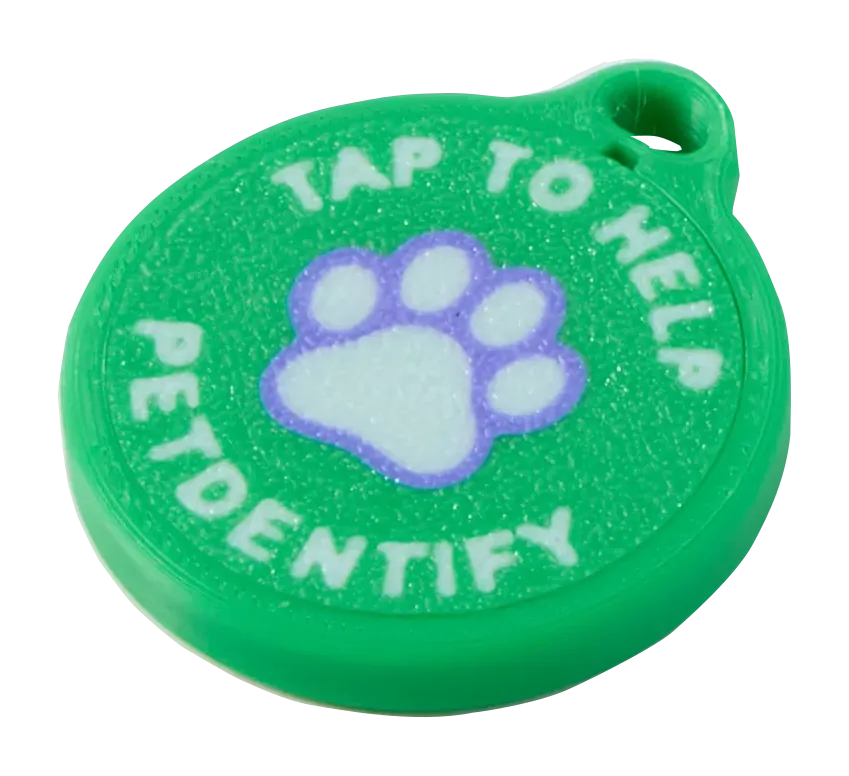
Give the finder someone to call, and tell yourself the moment they look.
A tap opens your pet’s browser-based finder page with their name, photo, and clear ways to call you—or an enabled Safety Circle backup contact. At the same time, your phone gets an alert.
No finder app or account. No tag battery or Bluetooth pairing.
PetDentify tagYou found TeddyCall ownerJordanFamilyCall
The physical tag opens a dynamic finder page; it does not display a phone number.
Scan alerts
You find out before anyone calls.
The moment someone opens your pet’s page, PetDentify pushes an alert to your phone. You learn your pet has been found even if that person never dials—and every scan is written to your Activity feed, so an alert you missed is not information you lost.
Every scan is recorded. Activity keeps the history with a timestamp, so you can look back instead of trying to remember.
A failed alert is retried. If your phone is off or out of signal, the alert is queued and retried rather than dropped.
Every signed-in phone is alerted. Add a second device and it gets the alert too.
You choose which alerts you get. Finder scans, order updates, setup reminders, and support alerts each switch off separately, and quiet hours can hold back setup reminders.
Requires the PetDentify owner app with notifications allowed. An alert tells you the page was opened; it is not a phone call, and it does not report where the person is standing.
PetDentify nowTeddy’s tag was scannedSomeone opened the rescue profile. Check Activity for details.
PetDentify nowTeddy’s lost-pet tag was scannedSomeone opened the recovery profile. Check the recovery dashboard now.
The alert text above is what the shipped app sends.
Safety Circle
One missed call doesn’t have to be the finder’s only option.
Add trusted backup contacts and choose which ones appear on your pet’s finder page. A finder can call you or any enabled contact, and each one shows by name and relationship so a stranger knows who they are reaching.
Important: Contacts appear as optional call choices. They are not automatically called or notified when someone taps the tag, and PetDentify does not track the tag’s location. Add only people who agreed to be listed.
YouOwnerCallJordanFamilyCall
Lost Pet Mode
If they actually go missing, the page changes.
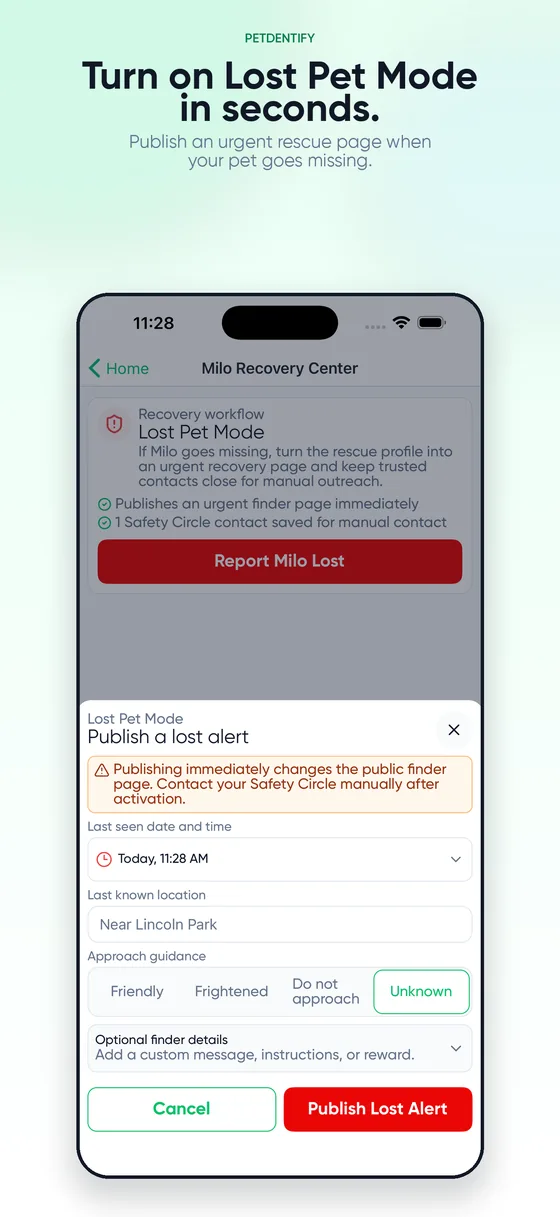
Mark your pet lost in the app and the same tag stops opening a normal profile and starts opening a recovery page—for as long as the search lasts, and back again the moment they are home.
When and where they were last seen, so someone can tell whether what they are looking at matches.
Approach guidance—friendly, frightened, do not approach, or unknown. A stranger should know that before reaching for the collar.
Your own message, handling instructions, and an optional reward.
A way to report back. Someone can say your pet is safe with them, waiting nearby, loose, or hurt—or report a sighting without having caught them.
A live timeline. Every scan, page view, sighting, and attempt to reach you is recorded where you can watch it.
Recovery alerts always come through, even with quiet hours on or scan alerts switched off.
The calls stay yours to make. PetDentify never calls or messages your Safety Circle for you—it keeps their details in one place so you can reach them yourself.
What is included
A focused experience for the finder—and practical controls for you.
Finder experience
A clear page, not a puzzle
Pet name and photo help the finder confirm who they found.
Owner and enabled Safety Circle call actions are easy to identify.
The page opens in a browser, with no finder app or account.
Alerts
Told the moment it happens
A push alert the instant your pet’s page is opened.
Alerts you miss stay in Activity with a timestamp.
Finder scans, orders, setup, and support each switch off on their own.
Recovery alerts ignore quiet hours on purpose.
Owner controls
Keep contact choices current
Build the pet profile and confirm the owner phone in the owner app.
Add, reorder, show, hide, or remove consenting Safety Circle contacts.
Saved profile updates appear on the dynamic page without rewriting the tag.
Recovery
A different page for a bad day
Last-seen time and place, plus approach guidance.
Custom instructions and an optional reward.
Sightings and “I have your pet” reports land on a timeline.
Switch it off yourself the moment they are home.
Privacy
You choose what the page shows
Your phone number, your email, and your Safety Circle are each optional on the public page.
The rest of the profile you keep—breed, weight, birthday, vaccines, allergies, behavior notes—stays in the app.
None of that private detail is ever published on the public page.
Tag requirements
Passive NFC, with nothing to charge
No battery or Bluetooth pairing is required.
Most modern NFC-enabled iOS and Android phones can open the page.
The finder needs an NFC-enabled phone, a browser, and internet access.
PetDentify is an identification tag—not GPS or a live-location tracker.